
Barnes & Noble NOOK
Barnes & NobleBooks & Reference
4.455.27K Reviews
- Version
- Varies With Device
- Installs
- 10.00M
- Age Rating
- Teen
Screenshots
Our Review of Barnes & Noble NOOK
 Analysis by Appyee
I spent time with Barnes & Noble NOOK as a reading app rather than treating it like a simple digital bookshelf. That distinction matters. Its best use is not merely opening an ebook and turning pages; it is building a dependable reading routine around a library connected to Barnes & Noble. For anyone who already buys books from that ecosystem, the app feels like a practical bridge between a physical reading habit and a phone or tablet.
It is a free Books & Reference app from Barnes & Noble, aimed at Teen users, and it has been available since July 22, 2010. Its long presence is reflected in its broad audience: the app has passed 10 million installs, with an average rating of 4.4 from roughly 176,000 ratings. Those figures do not tell me whether it will suit every reader, but they do suggest that NOOK has become a familiar option for people who want Barnes & Noble reading access on mobile devices.
How I use NOOK for an ordinary reading session
My baseline workflow is deliberately simple. I open the app, go to the book I want, and begin reading without trying to customize everything first. That is useful because a reading app should not make the first five minutes feel like account administration. NOOK works best when I treat the library as the starting point and the reading screen as the place where I spend most of my time.
A realistic example is a commute or a short evening break. I can keep a current novel available on my phone, read a few pages while waiting, and return later without carrying the physical book. On a larger screen, the same basic approach is more comfortable for longer sessions. The phone is convenient for spare moments, while a tablet is better when I expect to read for an hour.
The important habit is to choose one primary reading device for a session instead of constantly switching while distracted. I find that this makes the app feel calmer. If I am reading at home, I settle into the larger display. If I am outside, I use the phone and avoid spending time reorganizing the library. The app is most valuable when it removes friction from getting back to a book.
NOOK is also useful for readers who move between reference material and leisure reading. A cookbook, study title, biography, and novel can live in the same general reading environment, but they do not all deserve the same approach. I prefer to use it for books that benefit from continuous reading. For heavy cross-referencing, a dedicated physical reference book or a more specialized reading tool may still be faster.
One detail I pay attention to is the difference between discovering a book and reading one. A store-centered reading app naturally encourages browsing, but I get more from NOOK when I decide what I want to read before opening it. Otherwise, it is easy to spend the available break looking through titles instead of reading. My practical rule is to select the next book in advance, then use the app as a reader rather than as a substitute for a browsing plan.
The library matters more than the opening screen
For a regular user, the library becomes the app’s real home. I keep my current book easy to identify and avoid treating every title as equally urgent. A large digital collection can create the same problem as an overfilled physical shelf: plenty of choice, but no clear next step. NOOK is easier to live with when I maintain a small active queue and leave the rest alone until I am ready.
This is one of the less obvious trade-offs of using a retailer-backed reading app. The relationship between shopping and reading is convenient if you want one ecosystem, but it can also make the experience feel less neutral than a general ebook reader. If you mainly read books obtained from several unrelated services, NOOK may not be the best central library for your entire collection.
I would especially recommend it to someone who already thinks of Barnes & Noble as a preferred book source. The app then has a clear purpose: it extends that collection to mobile reading. I would be more cautious about recommending it to a reader who wants one universal app for every ebook, document, and independent file they own.
Settings worth checking before settling in
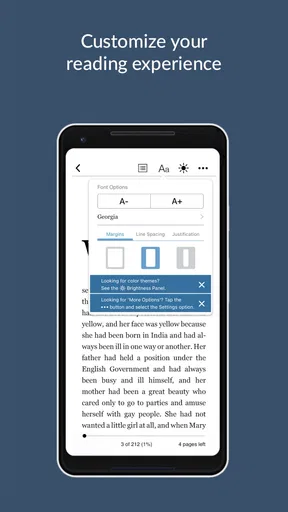
I do not change every available option immediately. Instead, I check the reading controls that affect comfort: text size, page appearance, screen brightness, and any available reading behavior that helps me keep a steady pace. The point is not to create a perfect layout; it is to remove the small irritations that make me stop reading.
Text size deserves more attention than people usually give it. A setting that looks elegant in a store preview may be tiring after twenty minutes. I increase the size until I can read without leaning toward the screen, then test it during a normal paragraph rather than judging it from a single page. On a phone, slightly larger text can make reading easier even when it means turning pages more often.
Brightness is another practical adjustment. I prefer the device’s brightness to match the room instead of using a bright screen in a dark bedroom. This is not a special NOOK trick, but it is part of using the app well. A comfortable reading setup depends on the phone or tablet as much as the application itself, and no digital page setting can fully compensate for an uncomfortable display.
My strongest setting advice is to optimize for the longest session you actually expect to have. A layout that feels fine for five minutes may become distracting during a full chapter. I test the app during a realistic reading period, then leave the settings alone for a few days. Constantly adjusting the page can become another form of procrastination.
I also check how easily I can return to the same book after closing the app. A good reading routine depends on continuity. If I have to search through the library every time, I lose momentum. I therefore keep track of the title I am actively reading and avoid opening several books merely to compare them. That small discipline makes the app feel faster, even without any special shortcut.
Accessibility and comfort are personal, not decorative
Readers have different needs, so I would not assume that the default presentation is right for everyone. Some people need larger text, stronger contrast, or a less bright display. Others prefer a denser page because they dislike frequent page turns. I recommend trying the app with a real book, not just a sample screen, because long-form reading exposes problems that a quick glance hides.
For younger readers, the Teen content rating is also worth keeping in mind. It gives families a useful general signal about the app’s intended audience, but it is not a substitute for checking the suitability of individual books. The reading platform and the content inside it are not the same thing, so parents should still make choices title by title.
One useful habit is to create a repeatable “start reading” routine: adjust the room light, set the device brightness, open the current title, and begin from the last comfortable position. This sounds basic, but it reduces the number of decisions between wanting to read and actually reading. NOOK benefits from that kind of routine because its main strength is reliable access, not elaborate gamification.
Faster patterns for people who read every day
Experienced users tend to save time by reducing unnecessary navigation. I use the app more efficiently when I decide what I am reading before launching it, keep the active title visible in my mental queue, and avoid browsing during a short reading window. These habits are more useful than hunting for a complicated workflow.
For a commute, I prepare before leaving. I open the book while I have a stable connection and make sure I know where I stopped. Then, when I have a few quiet minutes, I can read rather than organize. I do not treat this as a promise about offline behavior for every title or device; it is simply a sensible preparation step for anyone who does not want connectivity to interrupt a reading opportunity.
For study, I use shorter sessions and pause deliberately at natural breaks. Instead of closing the book in the middle of an argument or section, I stop at a paragraph boundary and make a mental note of the question I want to answer next. This makes returning to the material easier than relying on memory after an abrupt exit.
For fiction, I prefer a single active title. For nonfiction, I may keep a second book available, but I avoid opening several at once. The trade-off is clear: a larger active list gives flexibility, while a smaller one improves focus. NOOK does not need to solve that decision for me; my own reading system does.
Another useful pattern is separating discovery time from reading time. I browse when I have enough time to make a considered choice, then read when I want concentration. Mixing the two often leads to shallow sessions. This is particularly relevant in a retailer-connected app, where finding something new can be as tempting as continuing the book already in progress.
I also recommend using a larger device for books with dense pages when possible. A phone is excellent for portability, but the smaller display can make long paragraphs feel more tiring. The app’s value is partly its flexibility across mobile use cases, yet the physical screen still determines how pleasant the experience is. A reader who expects a tablet-like layout on every phone may be disappointed.
Where NOOK is more convenient than the usual alternatives
Compared with a generic ebook reader, NOOK has a clear advantage for people whose digital purchases already belong to Barnes & Noble. The library relationship is more direct, and the app feels like a natural companion to that buying habit. Compared with reading only on a dedicated device, it is easier to use during unexpected gaps in the day because the phone is already with me.
Compared with a general document reader, it is better suited to a book-focused routine. A document app may handle assorted files more broadly, but it usually does not provide the same sense of a dedicated book shelf. NOOK is not trying to be a universal file cabinet, and I think it is better judged on how well it supports its own reading ecosystem.
The comparison changes if you buy books from many stores or rely heavily on open formats and personal documents. In that situation, a more platform-neutral reader may be the better home base. I would not choose NOOK solely because it is free; I would choose it because its connection to Barnes & Noble matches how I obtain and organize books.
Advanced limits that affect the choice
The biggest limitation is ecosystem dependence. A retailer-linked app is convenient when the retailer is already central to your reading life, but less convenient when your books are scattered across services. I would rather have one dependable library than several partially overlapping ones, so I would first consider where most of my reading comes from.
There is also a difference between reading and deep annotation. NOOK can be a comfortable place to read, but students, researchers, and professionals should examine their own annotation workflow before making it their only tool. If your work depends on extensive notes, rapid quotation, document comparison, or exporting a carefully organized research archive, a specialized study application may fit better.
Another limit is that mobile reading always depends on the device around it. Battery level, notifications, screen size, and interruptions can all weaken concentration. I often use a dedicated reading period with notifications reduced at the device level. That is not a feature I would attribute to NOOK itself; it is a practical way to protect the experience from the phone’s other jobs.
I also would not recommend it as the first choice for someone who dislikes retailer-centered discovery. The app’s identity is closely tied to Barnes & Noble, and that is part of its appeal for some readers. For others, it may feel like unnecessary connection to a store when they only want a quiet, independent reading environment.
People deciding whether to install it should ask a few practical questions in their own routine. Do most of your ebooks come from Barnes & Noble? Do you want your phone or tablet to be a convenient reading screen? Are you comfortable managing a library that is connected to one bookseller? If the answers are mostly yes, the app has a sensible role. If you need broad file compatibility, a neutral library, or advanced research tools, another reader may be a better fit.
The free price removes the cost barrier to trying it, which is helpful when the real decision is about ecosystem fit. I would install it, sign in, open a book I genuinely intend to read, and test the complete routine rather than judging it from browsing alone. That approach reveals whether the library feels clear, whether the reading screen is comfortable, and whether returning to a book is easy enough for daily use.
A considered verdict for regular readers
After using Barnes & Noble NOOK as part of a repeatable reading routine, I see it as a focused companion for Barnes & Noble readers rather than a universal answer for every digital book. Its strongest quality is straightforward access: I can turn a phone or tablet into a practical place to continue a book without carrying a physical copy.
I like it most when I prepare a small reading queue, adjust the display for comfort, and separate browsing from reading. Those habits make a noticeable difference. The app does not need elaborate tricks to be useful; it rewards consistency. A person who opens it with a clear title in mind will usually get more from it than someone who treats it as an endless catalog.
The limitations are equally clear. Readers with mixed storefronts, large personal document collections, or demanding annotation needs may find a neutral or specialized alternative more suitable. The app’s connection to Barnes & Noble is its practical advantage and its main boundary at the same time.
My recommendation is therefore specific. If Barnes & Noble is already where you find many of your books, I think NOOK is worth installing and shaping around your own reading habits. If you want one app to unify every source, format, and research workflow, I would look elsewhere first. For the right reader, though, this free app is a dependable way to make everyday reading more portable without turning the experience into something complicated.
Verdict
Strengths of Barnes & Noble NOOK
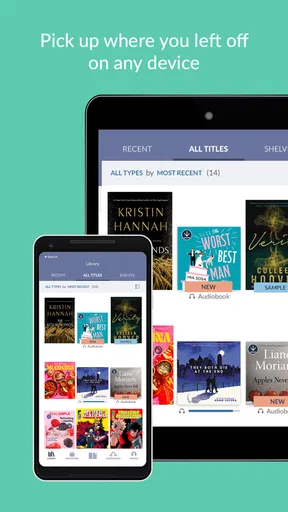
- Syncs books, bookmarks, and reading progress across supported devices.
- Adjustable fonts, margins, themes, and brightness improve reading comfort.
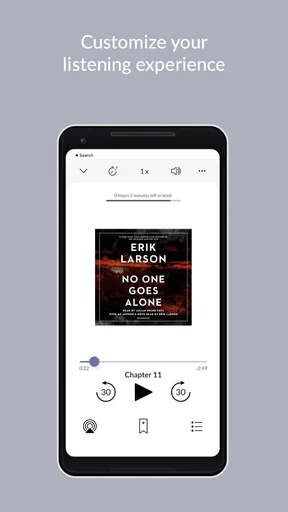
- Supports audiobooks, letting users switch between reading and listening.
- Store access makes discovering and purchasing new titles convenient.
- Parental controls help manage children’s access to age-appropriate content.
Limitations of Barnes & Noble NOOK
- Some titles and features may vary by country or account region.
- Audiobooks and many ebooks require additional purchases.
- The app can feel slower on older phones or tablets.
- Library organization tools are less flexible than dedicated reading apps.
- A NOOK account is required for purchases and syncing features.
Similar Picks in This Category
View All
Google Play Books & Audiobooks
Google LLC4.7

네이버 - NAVER
NAVER Corp.3.5

Wattpad - Read & Write Stories
Wattpad.com3.7

King James Bible - Verse+Audio
Ozion4.8

Bible Offline-KJV Holy Bible
Bíblia Offline4.9

Amazon Kindle: Reading App
Amazon Mobile LLC4.8
Frequently Asked Questions
What is Barnes & Noble NOOK, and what can I use it for?
Barnes & Noble NOOK is a mobile reading app that gives you access to digital books, magazines, and other reading content from Barnes & Noble. After signing in with a Barnes & Noble account, you can browse or purchase supported titles, download them for offline reading, organize your library, and adjust settings such as font size, brightness, and page layout on compatible devices.
Do I need a Barnes & Noble account or a NOOK device to use the app?
You generally need a Barnes & Noble account to purchase, access, and synchronize NOOK content across supported devices. A physical NOOK e-reader is not required, since the app is designed to let users read compatible purchases on a smartphone or tablet. However, available features, content, and account support may vary depending on your country, device, and operating system.
Can I read NOOK books without an internet connection?
Yes, books and other supported content can usually be downloaded to your device for offline reading. You must first have an internet connection to sign in and download the title. Once it is stored locally, you can continue reading without Wi-Fi or mobile data. Remember that downloaded content may require occasional account verification or re-downloading if you change devices.
Can I purchase books directly inside the Barnes & Noble NOOK app?
Purchasing options may depend on the version of the app and the platform you are using. In some cases, you may need to browse or buy NOOK books through the Barnes & Noble website and then open the app to download them. Before downloading, check the current store listing and Barnes & Noble account instructions, especially if you use iOS or live outside the United States.
What reading and accessibility features does Barnes & Noble NOOK offer?
The app provides common digital-reading tools intended to make long reading sessions more comfortable. Depending on the title and device, you may be able to change text size, font style, margins, brightness, background color, and page orientation. It can also remember your reading position and synchronize progress across supported devices, although formatting and available controls differ between books.
